

MetaTrader 5
MetaTrader 5 (MT5)
Discover MT4's more powerful and faster successor. Take advantage of state-of-the-art trading strategies and automation – supported by the tight spreads and quick execution of Pepperstone.
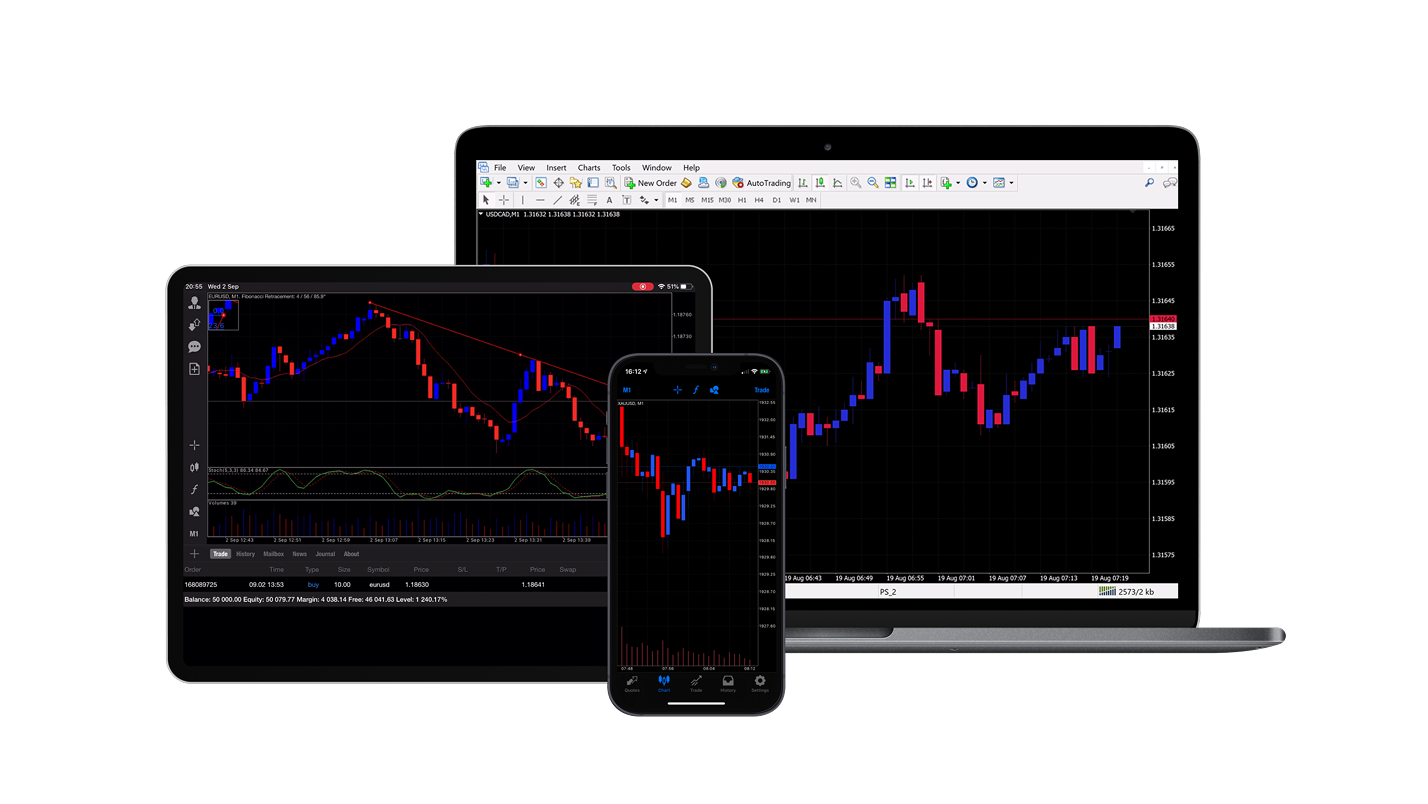
Why choose MT5?
Backtesting & Optimization
Multi-thread strategy tester with individually customizable algorithms for faster and more precise backtesting.
MQL5 programming
Progress over MQL4 – with advanced event management, object-oriented programming and improved debugging tools.
Extended Charting & Time intervals
Additional chart types like Renko and Range Bars as well as 21 time intervals, including tick charts.
Advanced analysis & Indicators
More integrated indicators, graphical tools and an integrated business calendar for deeper market analysis.
Broader market selection
Trade CFDs on forex, indices, stocks and raw materials – all on an integrated platform and app.
More order types, indicators & Widgets
Use Stop Limit Orders for more control in volatile markets, as well as 10 additional indicators and 13 other graphical tools.
Advantages of MT5 at Pepperstone

Tight spreads
From 0.0 pips at Forex on a Razor account and 0.1 pips at Gold.1

Fast, reliable execution
From 50 milliseconds, with an execution rate of 99.32% – without dealer intervention².

Personal Support
24 hours a day from Monday to Friday, 18 hours a weekend.

Worldwide established broker
830.000 customers in 160 countries, 10 international locations³
Which Pepperstone Contro is compatible with MetaTrader 5?

CFD Standard
Trade with a similar market coverage as when buying the underlying, while you only have to deposit a fraction of the position value.
All fees – except possible overnight costs – are included in the spread. No additional commissions apply.

CFD Razor
Same trading terms as for the standard account, but with commission-based pricing for Forex.
Raw FX spreads from 0.0 pips¹ and fixed, transparent commissions from USD 3.50 per lot per side.
To register for MT5 at Pepperstone
1. Open a live or demo account at Pepperstone and select MT5 as your preferred platform.
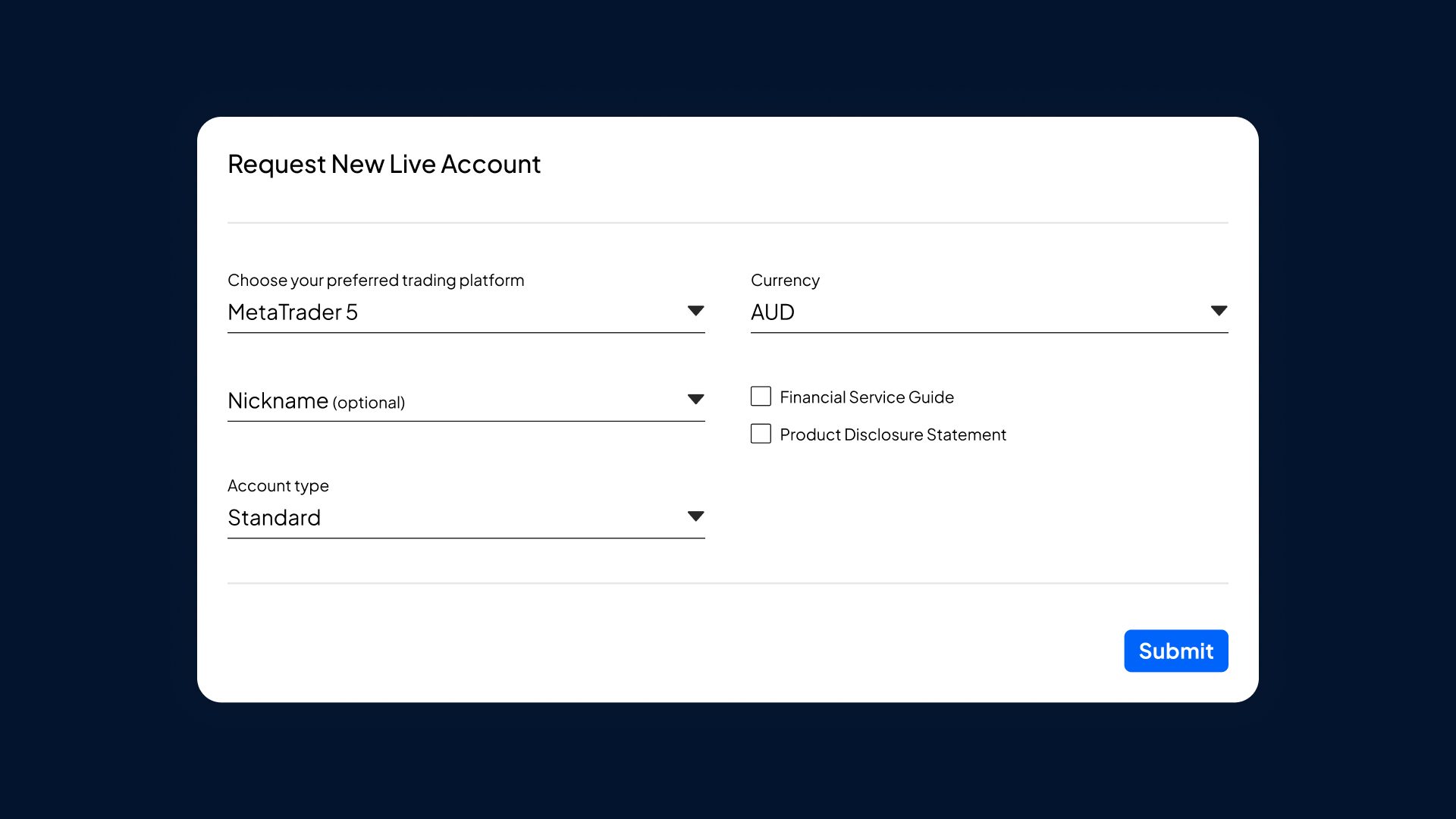
2. Open MT5 via your desired application
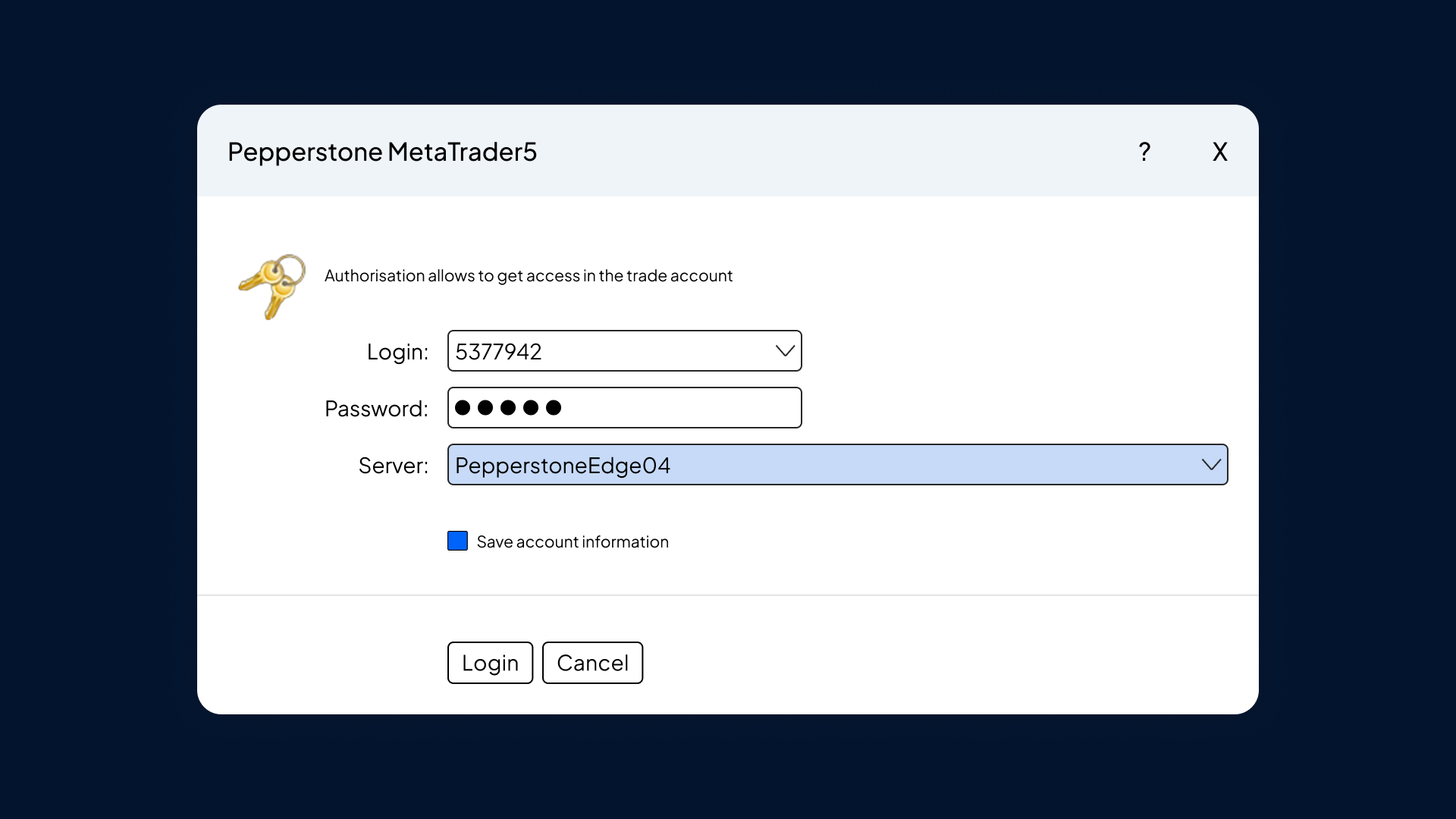
3. Find the Pepperstone server and log in with your Pepperstone access data.
Start-up
FAQs
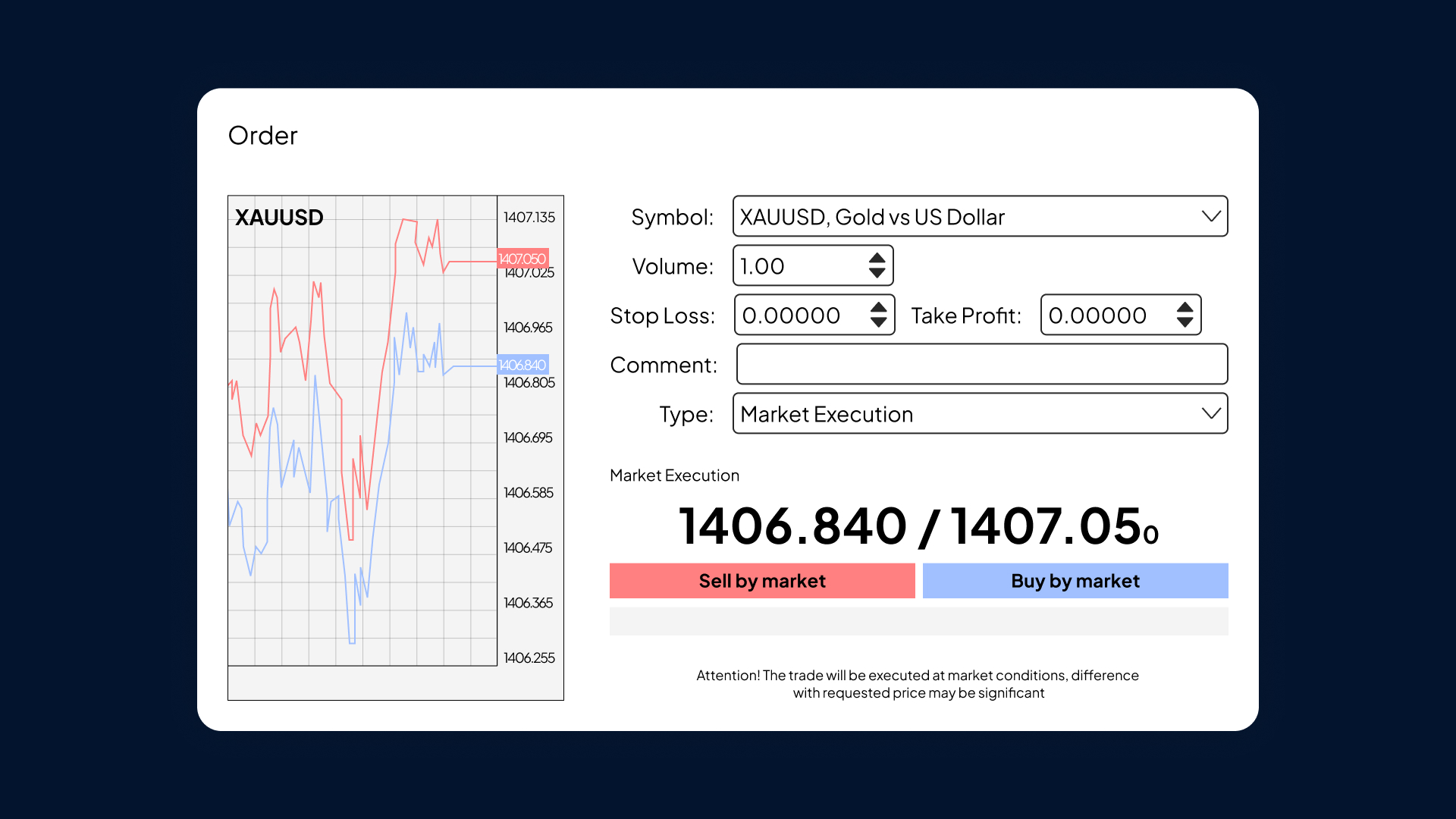
Open a window and tap "New Order" or simply use the key combination F9. Alternatively, you can right-click on the diagram and click "Handle" and then tap "New Order".
Your order has three fields.
In the "Type" field, you can place an order at the current market price (market execution) or place an order at a certain price in the future (pending order).
In the volume field, enter your trading volume. This is based on standard FX lots (USD 100,000 exposure and USD 10 of the base currency per pip).
Add an automated order to terminate your trade with profit (take-profit) or loss (stop-loss) at the prices you set.
Right-click the trade in the "Terminal – Trade" section and select "Change" or "Delete".
You can change stop loss or take-profit orders in two ways:
Enter the desired distance from the current price. For example, 200 points correspond to a stop loss of 20 pips from the current market price.
Alternatively, you can enter the exact price at which you want to exit in the stop loss field.
Loading your Expert Advisor (EA) or indicator is quite simple.
Download your EA or indicators as a file to your computer.
Enter "MT5" and select "File".
Open the data folder.
Enter "MQL5" to drag the file & Drop either into the "Expert Advisors" or "Indicators" folder.
Restart the MT5 platform and your Expert Advisor or Indicator will be displayed in your "Navigator" list.
Smart Trader includes 28 expert tools and indicators that help you bring your trading to the next level. The tools are easy to use, install and use and are available exclusively for MetaTrader 4 and MetaTrader 5. Learn more about how Smart Trader Tools can help you unlock your trading potential.
How can I subscribe to additional products in MT5?
Sign up on the MT5 desktop platform and go to the "Subscriptions" menu in the left bar.
Select the subscription you want to access. Then, you can view the cost, duration and description of the product you wish to subscribe to.
Click on the green button to complete your subscription.
Upon completion of the subscription, you can display the term and type of renewal and cancel the subscription if necessary. Please note that paid subscriptions will not be refunded even upon termination.
MT4 and MT5 are both popular trading platforms that differ in scope and functionality. MT4 is a simple, intuitive and globally popular trading platform that is suitable for beginners as well as advanced traders due to its extensive features.
MT5 offers extended functions: numerous time intervals, comprehensive analysis options and a wide selection of bonding orders for stocks, commodities, indices and other markets.
MT5 offers:
A larger selection of time intervals: 21 compared to 9 at MT4. This can be extremely attractive for scalpers and advanced traders who want to conduct an in-depth market analysis.
Pending orders: The Stop and Limit Orders offered are frequently used in MT4. With MT5, you can use stop limits to control the execution price and avoid unfavorable trades in volatile markets.
The programming language MQL5: Due to the popularity of MT4 numerous research results and instructions have already been published. Nevertheless, users are increasingly switching to MQL5 because it is more efficient and user-friendly and allows traders to write and customize scripts easier.
Integrated fundamental economic calendar: delivers real-time macroeconomic messages. MT5 also includes an integrated MQL5 community chat and email system.
For beginners or customers who only want to trade forex, MT4 is generally a simple and efficient choice. For retailers looking for even smarter software with a wider range of additional features and more detailed analysis, MT5 is the better choice. If you want to trade around the clock with the most important US stock CFDs,3 Then consider MT5.
Discover the better way of trading!
Start now with Pepperstone and become part of our global community with over 830,000 traders.³ Sign up in a few minutes via our simple login process.
1
Register
Log in with your e-mail address and receive a free demo.
2
Answering Questions
We check whether our products are suitable for you.
3
Verify
Your security is our top priority.
4
Depositing money
You can start trading now.
1 Additional fees and costs may apply.
2 99.32%. The execution rates are based on all trade data between 01.10.2025 and 31.12.2025.
3 Total number of accounts held by Pepperstone Group worldwide, as of October 2025
4 24-hour trading 5 days a week for selected US stock CFDs. Please refer to the instrument specifications in the trading terminal for details.